Turn family recipe cards into a cookbook on your phone
Take a photo of a recipe card, even a handwritten one, and gingham reads it into a clean recipe you can cook from, scale, and plan with.
The photo of the card stays with the recipe for good, one tap away, because the handwriting is often the part that matters most.
Free, with no ads.
How it works
- In gingham, tap Add, then Photo or screenshot, and take a photo of the card.
- gingham reads the card into ingredients and a method, with the servings and times when the card gives them.
- Check it against the card, fix anything it misread, and save it.
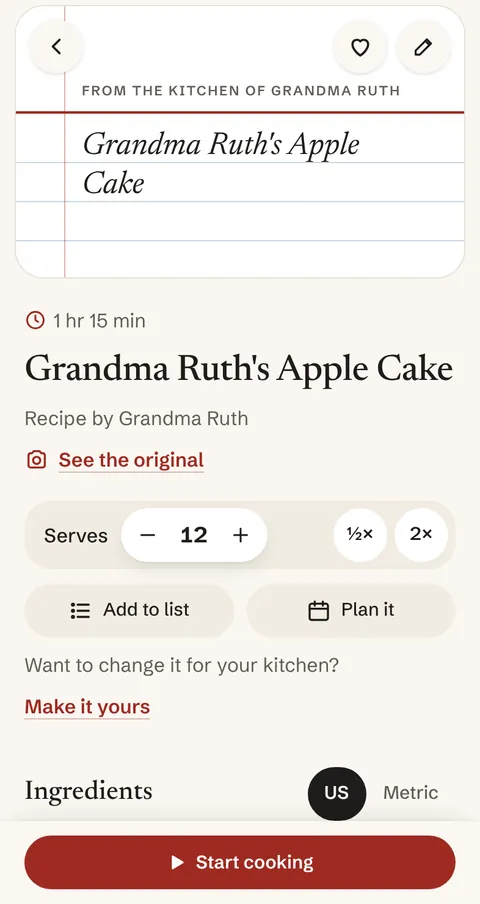
When the card says whose recipe it is, gingham credits them, and a recipe with no photo of the dish gets a drawn card cover: From the kitchen of Grandma Ruth.
Good to know
- See the original opens the photo of the card whenever you want it.
- Cards are read by Claude, an AI from Anthropic. Each one counts toward your 300 free readings a month. You can always type a recipe in yourself instead.
- Faded or cramped handwriting can be misread, so look over the amounts before you cook.
- Add a photo of the finished dish when you make it.
For the whole family
Sharing is coming soon: a private table for your family and friends, where everyone can see what the others cook. What you save stays private to you.