Save recipes from Instagram reels and TikTok
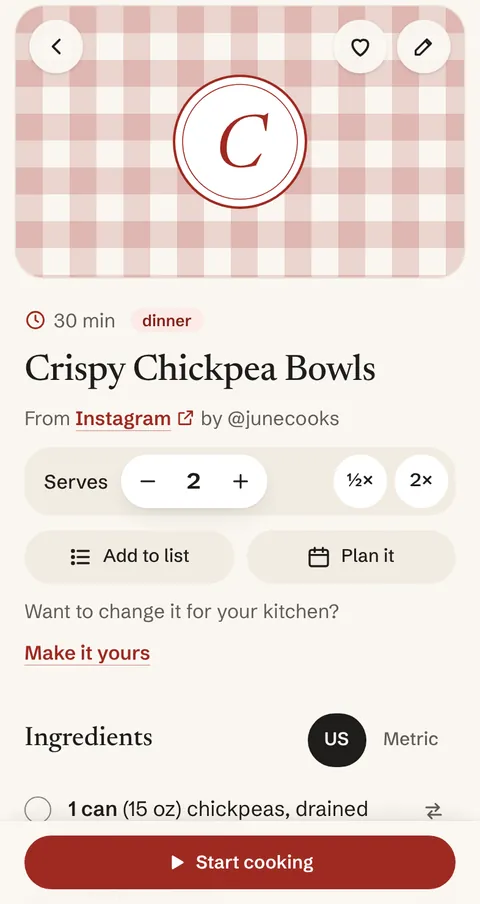
Paste the link to a reel, a TikTok, or a YouTube video into gingham. It reads the recipe from the caption (or YouTube’s description) and saves it as one clean recipe, with credit and a link back to the creator.
Instagram often hides captions from apps like gingham. When it does, gingham says so and you paste the caption, or a screenshot of it, instead.
Free, with no ads.
How to save one
- In Instagram, TikTok, or YouTube, tap Share, then Copy link.
- In gingham, tap Add and paste the link.
- Look the recipe over, change anything you like, and save it.
On Android, once gingham is on your home screen, you can share a video straight to it instead of copying the link.
When the caption isn't there
Instagram and TikTok often turn apps like gingham away. Then gingham tells you plainly and offers two ways on: paste the caption you copied from the app, or add a screenshot of it. Either way the recipe keeps the video’s link.
Some recipes are only spoken in the video, with nothing written down to read. For those, gingham opens the recipe ready for you to type in, with the link kept.
What gingham keeps
- The recipe, as plain text: ingredients, method, servings, and times.
- Who made it, and a link back to the video.
- Never a copy of the video or its picture. A reel or TikTok gets a drawn cover until you add your own photo.
Captions and screenshots are read by Claude, an AI from Anthropic. Each one counts toward your 300 readings a month, which are free. Recipe pages with recipe data built in are read without Claude.